How to Prepare Logo Artwork for Custom Wristbands
Preparing artwork for custom wristbands means sending a clean logo, a short message and your colors, then adapting the design to a long, narrow band and the decoration method of your chosen style. Branded Wristbands accepts vector or high-resolution files, sets the artwork on the band template and returns a free mockup within 24 hours, so you can fix crowded text before production.
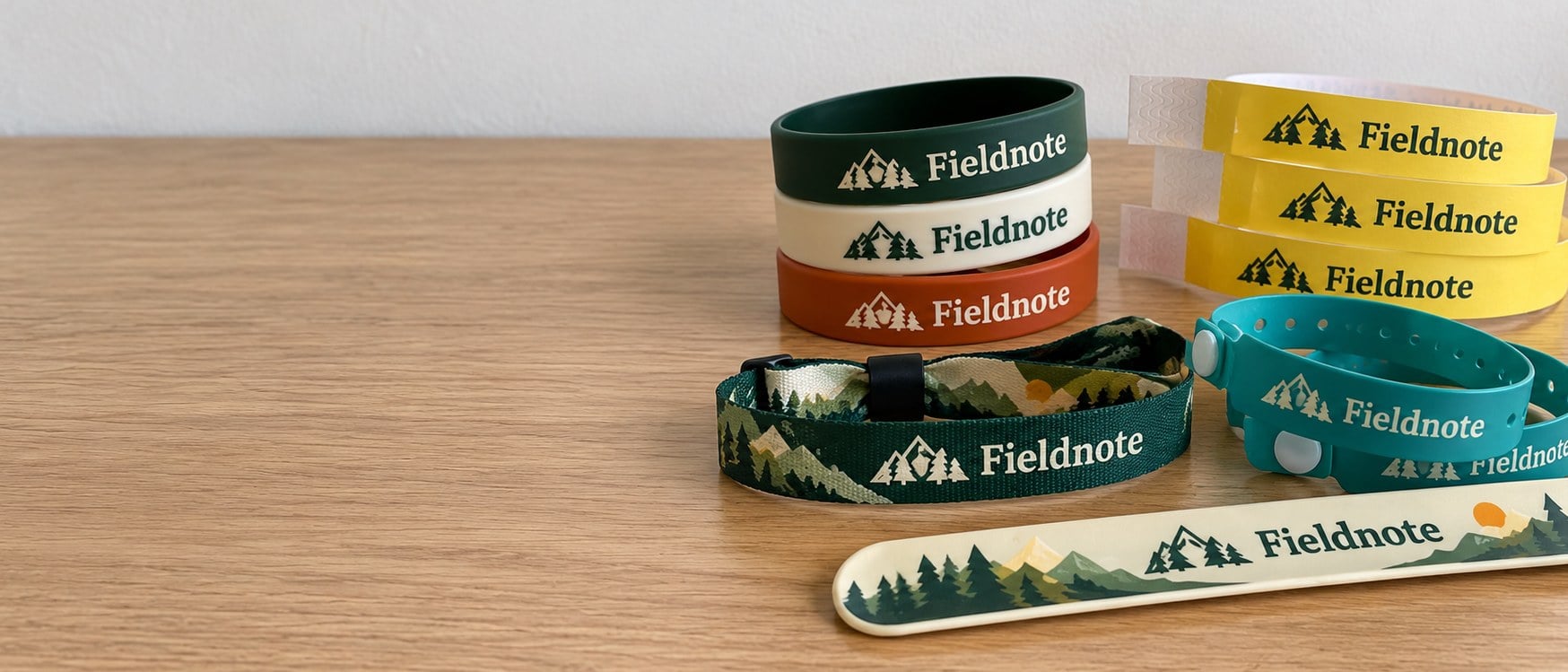
- Vector logos are ideal; sharp PNG or JPG files are also accepted
- Wristband artwork is set on a long, narrow template
- Silicone, Tyvek, vinyl and fabric bands each handle artwork differently
- Free mockup within 24 hours with unlimited free revisions
- Standard turnaround is about 2 weeks after approval
What artwork do you need to order custom wristbands?
To order custom wristbands you need your logo or symbol, the exact message you want on the band, your band and text colors, and the wristband style. That is the whole brief. A clean logo and a short, final message are more useful than a finished layout, because the band shape changes how every design has to be arranged.
A wristband is long and very narrow, unlike a square sticker or a shirt print. A logo that looks balanced on a website header can become tiny once it is scaled to fit the band height, and a long sentence can run out of room before it reaches the clasp or overlap. Planning for that shape is the core of wristband artwork.
- Logo or icon, ideally a vector file
- Message text, spelled and capitalized exactly as it should appear
- Band color and text or ink colors
- Wristband style: silicone, Tyvek, vinyl, fabric, slap or RFID
- Any numbering, dates or second message for the inside or back
Send whatever you have with your quote request. The design team at Branded Wristbands lays out the band, adjusts spacing for the chosen style and shows the finished look on the free mockup before you commit.
Which file formats work best for wristband artwork?
Vector files such as AI, EPS, SVG or vector PDF are the best format for wristband artwork because logos stay sharp when they are scaled down to band height. Debossed and embossed silicone bands in particular need clean outlines, since the design is molded into the band rather than printed onto it.
High-resolution PNG or JPG files still work for printed styles like Tyvek, vinyl and fabric, and as a starting point for silicone. Send the largest, cleanest version you have on a plain background, not a screenshot or a social profile image. Branded Wristbands can redraw a raster logo as clean vector shapes and confirm the result on the mockup.
| File type | How it works for wristbands |
|---|---|
| AI, EPS, SVG, vector PDF | Best for every style, required in effect for molded silicone |
| High-resolution PNG or JPG | Good for printed Tyvek, vinyl and fabric bands |
| Screenshot or web image | Risky: fine detail may be lost at band size |
| Sketch or photo of an old band | Useful for reorders and redraws, confirmed on the mockup |
If your brand uses a specific typeface, include the font name or file so lettering can match your other materials instead of a close substitute.
How much text fits on a custom wristband?
A custom wristband fits a short message best: a name, a slogan of a few words, a date or a web address, usually alongside a small logo or icon. Text has to stay readable at band height, so the fewer words you use, the larger and clearer each letter can be.
Think of the band as a single line of type that wraps around a wrist. Only part of that line faces the viewer at any moment, which is why the strongest designs repeat a short message or pair a logo on one side with a message on the other. Long sentences end up so small that nobody reads them from more than arm’s length.
- Lead with the one phrase people should remember.
- Move secondary details, like a web address or date, to the inside of a silicone band or the back of a printed band.
- Use bold, simple fonts rather than thin scripts.
- Leave clear space at the closure so text is not hidden by a snap or clasp.
When you are unsure, send two versions of the message. Branded Wristbands can mock up both so you can see which reads better at actual band size before you approve.
How does wristband artwork differ between silicone, Tyvek, vinyl and fabric?
Wristband artwork changes with the band style because each style is decorated differently. Silicone bands are molded, so designs are debossed, embossed or color filled as raised or recessed shapes. Tyvek and vinyl bands are printed, so they handle flat colors and small graphics. Fabric bands can be woven or printed and suit bolder, repeat patterns.
| Wristband style | What artwork works best |
|---|---|
| Silicone | Bold logos and text, solid shapes, no gradients or photos |
| Tyvek | Simple logos, short text, optional sequential numbers |
| Vinyl | Clean graphics and text, clear contrast against the band color |
| Fabric | Repeat patterns, bold colors, larger logos across the strap |
On silicone, fine lines and tiny counters inside letters can fill in during molding, so slightly thicker strokes give crisper results. On printed bands, low contrast is the main risk: a pale ink on a pale band can vanish in daylight or under event lighting.
If you have not settled on a style yet, the comparison of Tyvek vs vinyl wristbands explains how each holds up at events. Branded Wristbands can mock up your artwork on more than one style so you can decide with the design in front of you.
How should you choose colors for branded wristbands?
Choose wristband colors by contrast first and brand match second. The band color is the biggest area anyone sees, so pick it to suit your brand or event, then choose a text or ink color that stands out clearly against it. Strong contrast keeps logos readable at a distance and in mixed lighting.
Color also does practical work at events. Many organizers use band color to show entry type, day or age group, and the artwork then stays the same across colors. If you plan color coding, make sure your logo and text color read well on every band color in the set, not only the first one you picked.
- Share your brand color references so bands and inks match as closely as possible.
- Check that text works on each band color in a color-coded set.
- For silicone, consider color fill to make debossed text easier to read.
- Swirl and segmented silicone bands look striking but can reduce text contrast in places.
Branded Wristbands shows the chosen colors on the mockup. If you are matching official brand colors closely, say so on the quote form so the team can recommend the band and ink combination that stays truest to your palette.
Can each wristband carry different numbers or names?
Wristbands can carry variable information such as sequential numbers on Tyvek bands for entry tracking, or different messages across separate batches of silicone or printed bands. Plan variable data before you send artwork, because it affects how the template is set up and how the order is split.
Sequential numbering is common for event entry, raffles and headcounts, and it is simplest on printed Tyvek bands. Different names or messages, for example team names or honoree names, are usually handled as separate artwork versions, each with its own quantity line on the order.
- Decide which element changes: number, name, date or color.
- List each version and how many bands you need of it.
- Keep the fixed logo and layout identical across versions.
- Check the first and last numbers, or every name, on the mockup.
Branded Wristbands can show how numbering or name versions sit on the band before production. For electronic entry and cashless payment instead of printed numbers, custom RFID wristbands carry a chip while still showing your printed branding.
What should you check on a wristband mockup before approving?
Check spelling, logo shape, text size, colors, the position of the message relative to the closure, and any numbering or inside message on the wristband mockup. Approve only when every element is readable at true band size and the style, color and quantities match your plan.
Small details cause most reprints. A misspelled hashtag, an outdated web address or a date in the wrong format is easy to miss on a quick look. Zoom in on the mockup, read the message out loud and ask someone who did not write it to check it independently.
- Proofread the message, inside text and any numbers.
- Confirm the band style, width option and closure type.
- Check contrast for every band color in the order.
- Confirm quantities for each color or version.
- Confirm your event date against the delivery date.
Branded Wristbands includes unlimited free revisions, and you pay nothing until you approve the design. Standard turnaround is about 2 weeks after approval, with faster turnaround available with express shipping when the event date is close.
Frequently asked questions
Can I put a message on the inside of a silicone wristband?
Silicone wristbands can carry a second message on the inside of the band, which is ideal for a web address, date, hashtag or a private message for the wearer. The outside stays clean for your main logo or slogan. Branded Wristbands shows both sides on the free mockup so you can check spacing and spelling before approving.
Will a script font work on custom wristbands?
Wristbands can use a script font, but very thin or tightly joined scripts may lose detail at band height, especially when debossed into silicone. Bolder scripts with open loops read much better. Branded Wristbands can show your script beside a simpler typeface on the mockup so you can choose the version that stays legible.
Can a full-color photo be printed on wristbands?
Wristbands are not the best canvas for photos, because the band is narrow and most styles are decorated with flat colors rather than detailed images. A simplified graphic or icon based on the photo usually reads far better. Branded Wristbands can suggest a simplified version of your image and show it on the free mockup.
Should my wristband logo be horizontal or stacked?
Wristbands work best with a horizontal logo, because a stacked version must shrink to fit the band height and its text becomes hard to read. If you only have a stacked logo, the icon alone often works well beside a separate line of text. Branded Wristbands can rearrange the elements and show options on the mockup.
Can I add a QR code to custom wristbands?
Wristbands can carry a small QR code on printed styles such as Tyvek or vinyl, but the narrow band limits its size, so scanning must be tested. Keep the code simple, high contrast and linked to a short URL. For reliable electronic entry, RFID wristbands are often a better choice than relying on a printed code.
How do I prepare artwork for wristbands with several sponsor logos?
Wristbands with several sponsor logos need each logo supplied as a clean file and a clear order of priority, since space is limited along the band. Spacing sponsors evenly with the event name between them usually works best. Branded Wristbands will mock up the layout so every sponsor can approve placement before the order goes into production.
What is the difference between debossed and embossed wristband artwork?
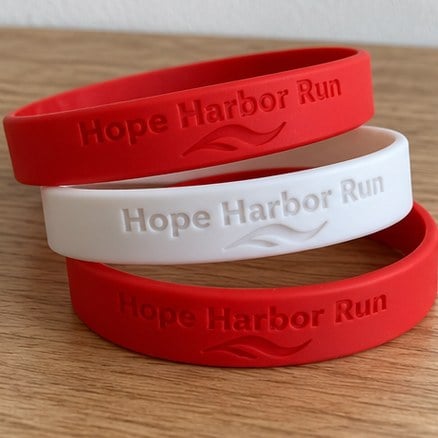
Wristbands with debossed artwork have the design pressed into the silicone, while embossed artwork rises above the surface. Debossed text can be color filled for extra contrast, and embossed text stands out to the touch. Both need bold, clean shapes. Branded Wristbands shows the chosen method on the mockup so you can compare the look.
Can wristband artwork match my event poster or ticket design?
Wristbands can echo an event poster or ticket by using the same logo, colors and typeface, adapted to the long band shape. Send the poster or ticket file with your quote request. Branded Wristbands will pull the key elements onto the band layout so attendees recognize the event branding the moment they put the wristband on.
What happens if I spot a typo after approving my wristband design?
Wristbands are produced exactly as approved, so a typo found after approval may require a new run if production has started. Contact Branded Wristbands immediately in case the order has not yet gone into production. The best protection is a careful proofread of the free mockup, ideally by a second person, before you approve.
Can I reuse last year's wristband artwork for this year's event?
Wristbands can reuse earlier artwork with only the year, date or edition name updated, which keeps the event look consistent and speeds up approval. Mention the earlier order on the quote form. Branded Wristbands will update the changed details, return a fresh mockup within 24 hours and keep the rest of the design exactly as before.
Who can help me design wristbands if I have no artwork yet?
Wristbands can be designed from just an event name, a few words and your preferred colors, since the Branded Wristbands team builds the layout for you. Describe the event and the style you want on the quote form. You will receive a free mockup within 24 hours and can request changes until the design feels right.
Get a free mockup for your wristbands
Send your logo or idea and the quantity you have in mind. Branded Wristbands returns a free mockup within 24 hours, you approve the design before anything is produced, and standard turnaround is about two weeks with faster options available. Get a custom quote.
Win Free Stuff
Enter below for a chance to win plus receive 10% off your first order.
🎉 You are in!
We will text you your 10% off code. Good luck!